Important Notes: Please follow the instructions in the given order. Should you wish to discontinue the attempt at any point, please let us know. The compensation is independent of an early termination of the study.
The goal of this user study is to evaluate the user-friendliness (UX) of the ID Austria registration and login process in a private context.
Specifically, we are testing how understandable, efficient, and smooth logging in with ID Austria works on an online platform for private use
– in this case, the shopping platform bike-flix.at.
In the course of the study – specifically in the third step – you will set up biometric authentication – such as fingerprint or Face ID –
on the smartphone provided to you.
Afterward, you will link this device to an ID Austria test identity specifically provided for this user study.
This test identity is purely fictional and has no connection whatsoever to your actual ID Austria or your real identity.
During the study, we ask you to vocalize your thoughts and considerations (known as 'Thinking Aloud').
This way, we can best understand your experiences and impressions.
My interaction with you will be limited to a minimum.
Please let me know as soon as you have completed a step, so we know when we can proceed.
To evaluate the results of this user study, you are asked to complete a questionnaire after setup and linking, as well as after completing
the login process.
Your feedback helps us to improve the comprehensibility and the flow of the entire process.
Participation is expected to take 20 to 30 minutes.
Should difficulties arise during the process, you can always refer to the instructions below.
Here is a brief overview of the tasks for this study, as mentioned before. However, you will complete these steps one by one.
It is important that you only perform the actions described in this step.
Have you completed the current step? Notify the me :)
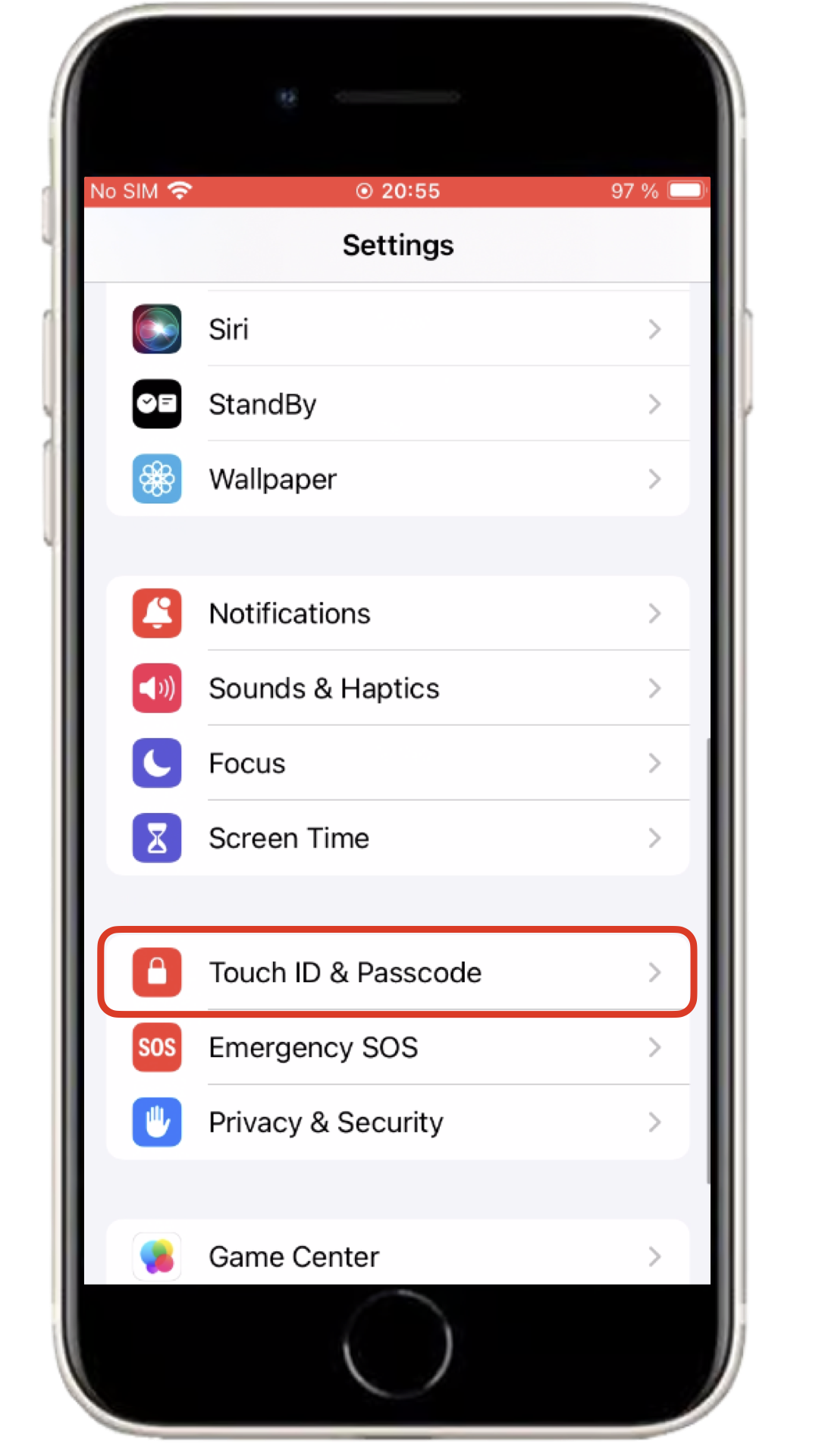
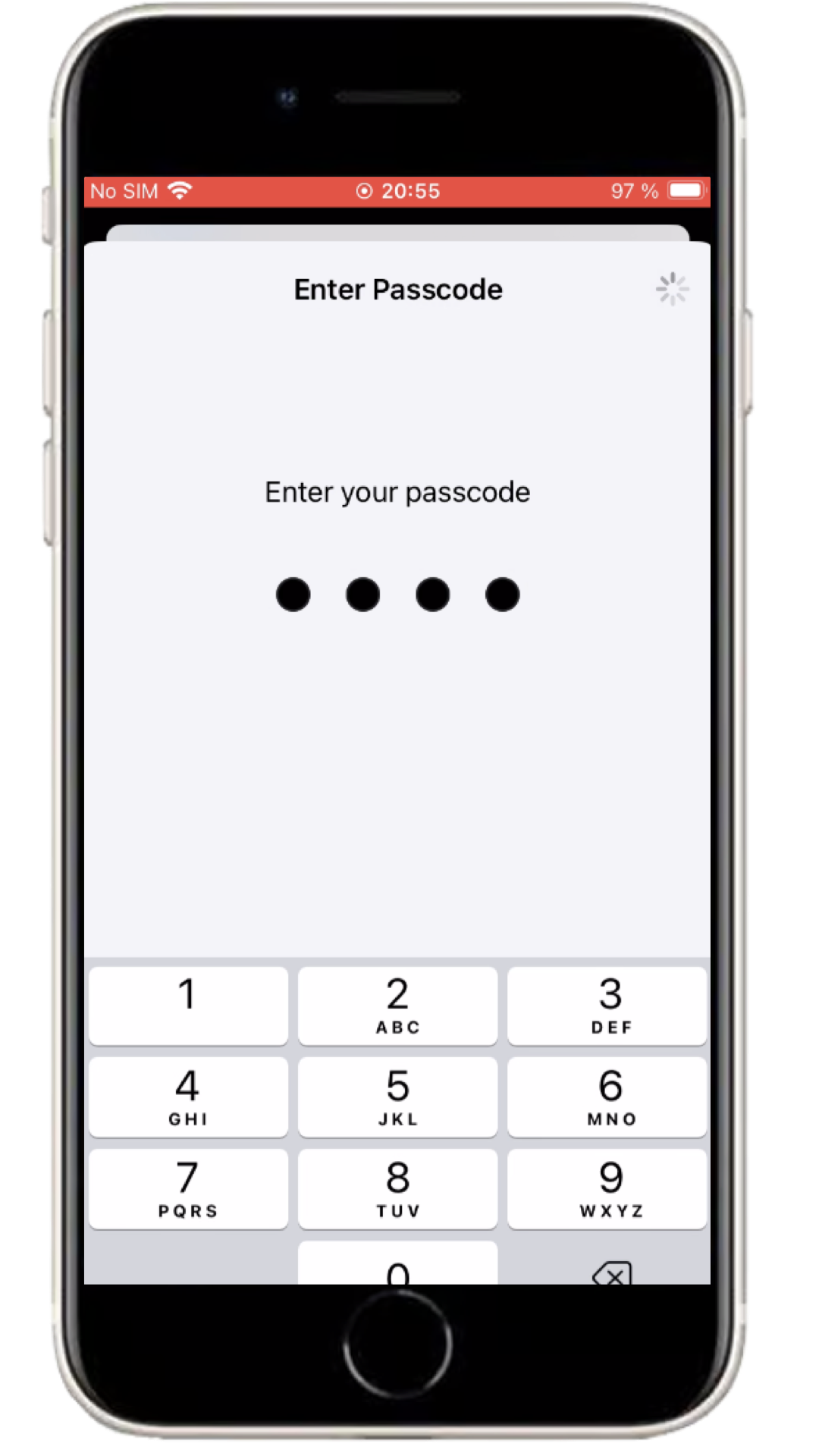
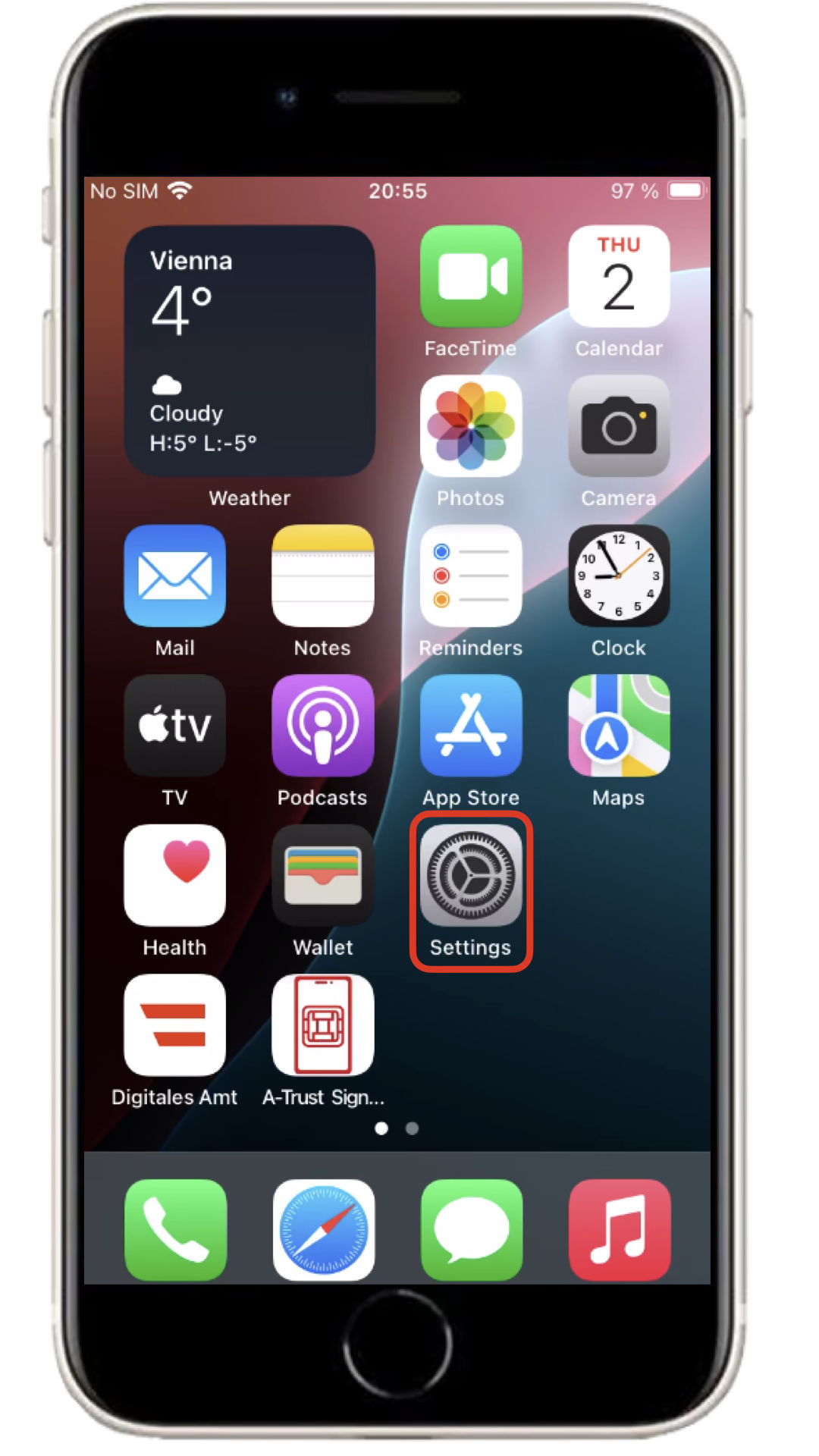
Open the Settings app and scroll down until you can select 'Touch ID & Passcode'. Please enter the PIN (1379) to unlock the iPhone.
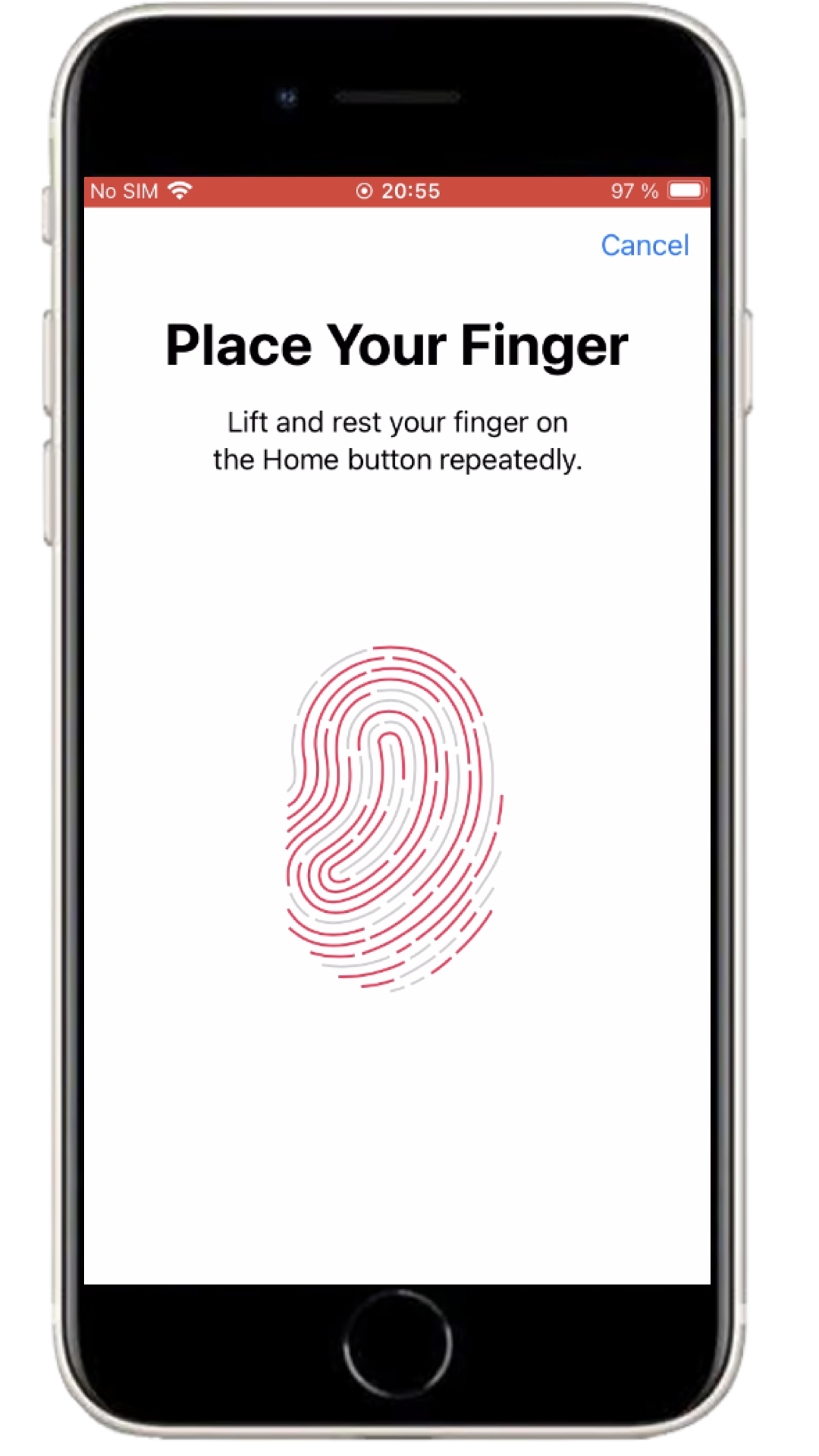
Click on 'Add a Fingerprint' and follow the instructions on the display.
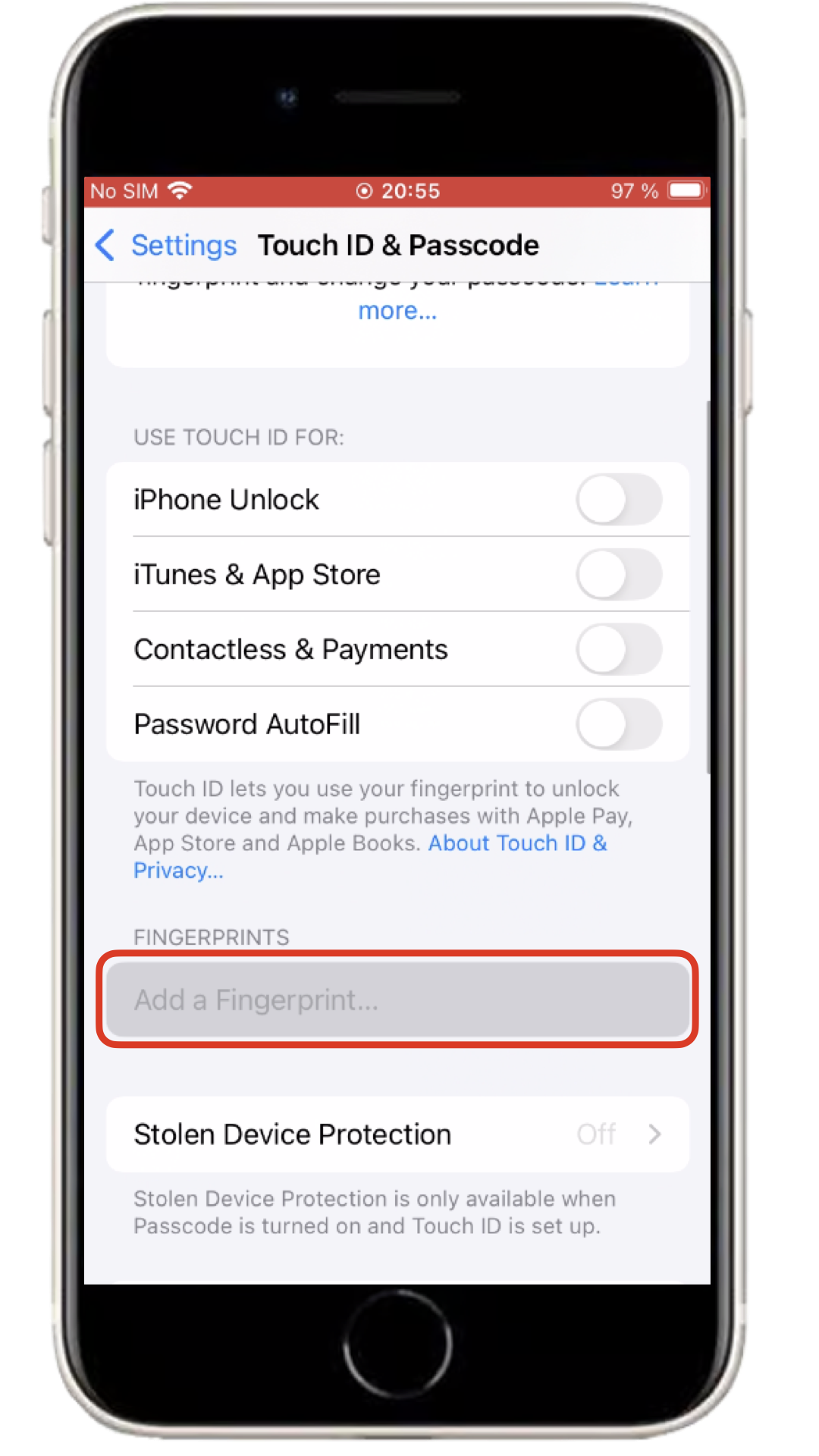
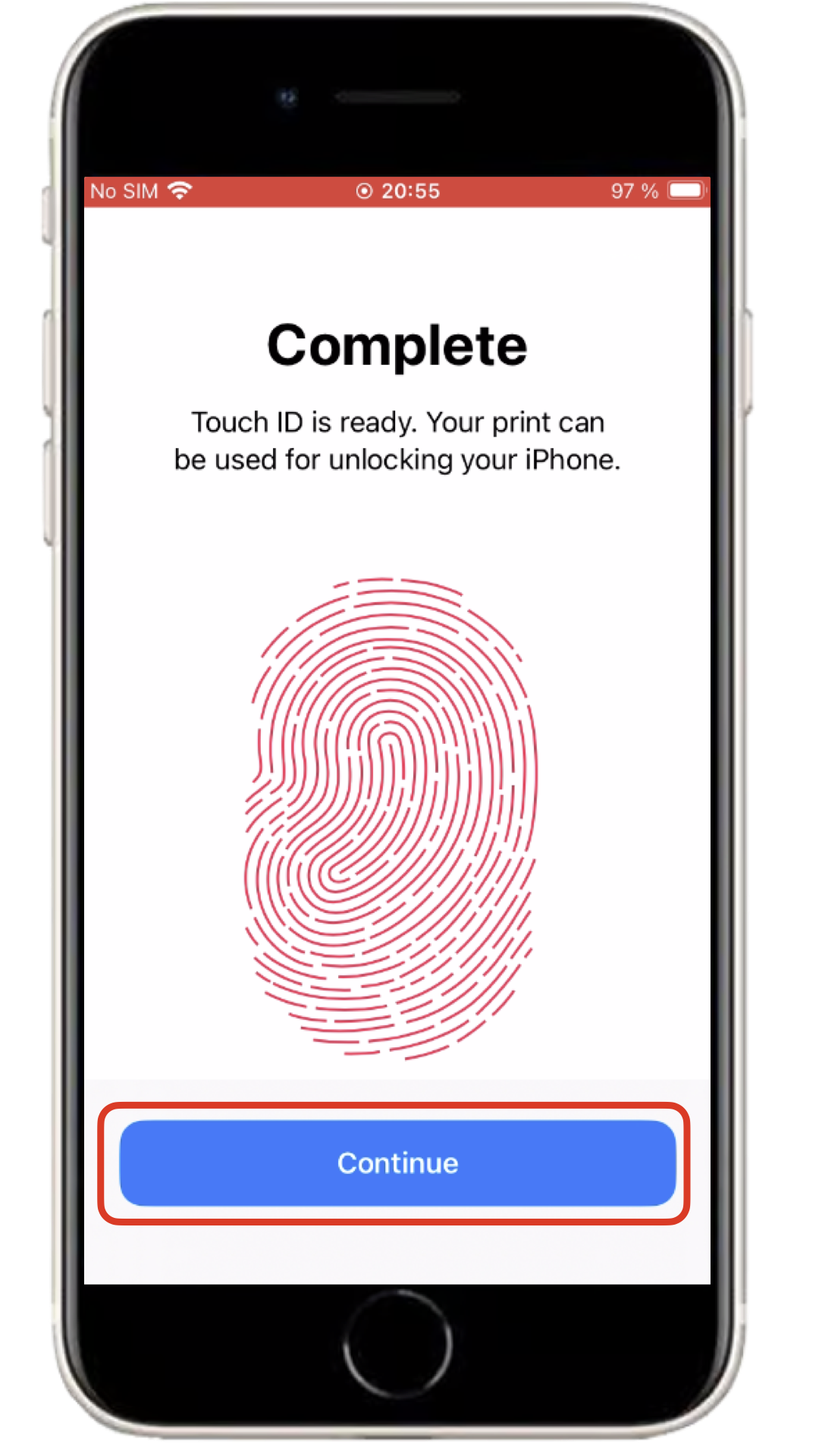
Your fingerprint has now been successfully set up.
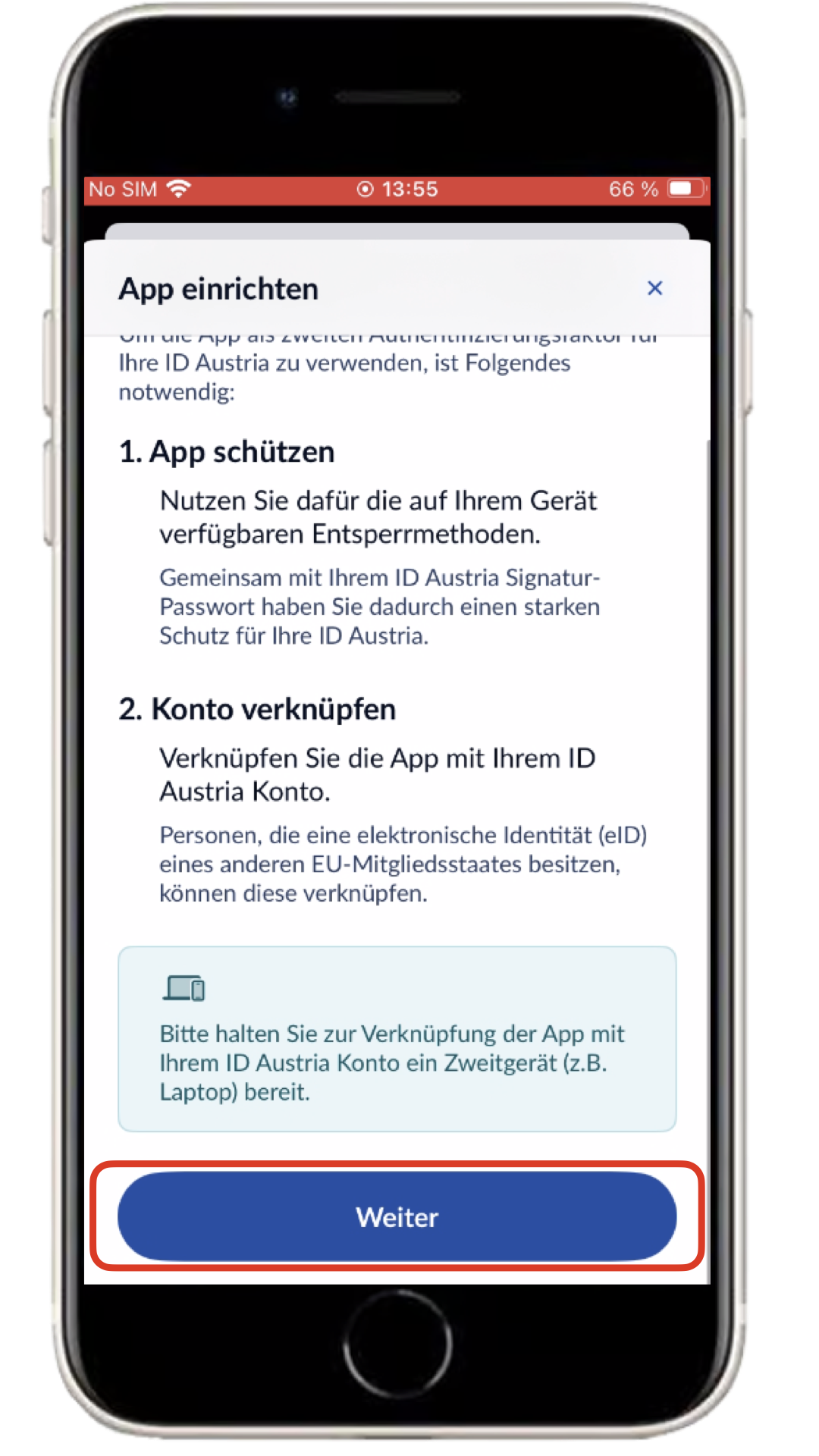
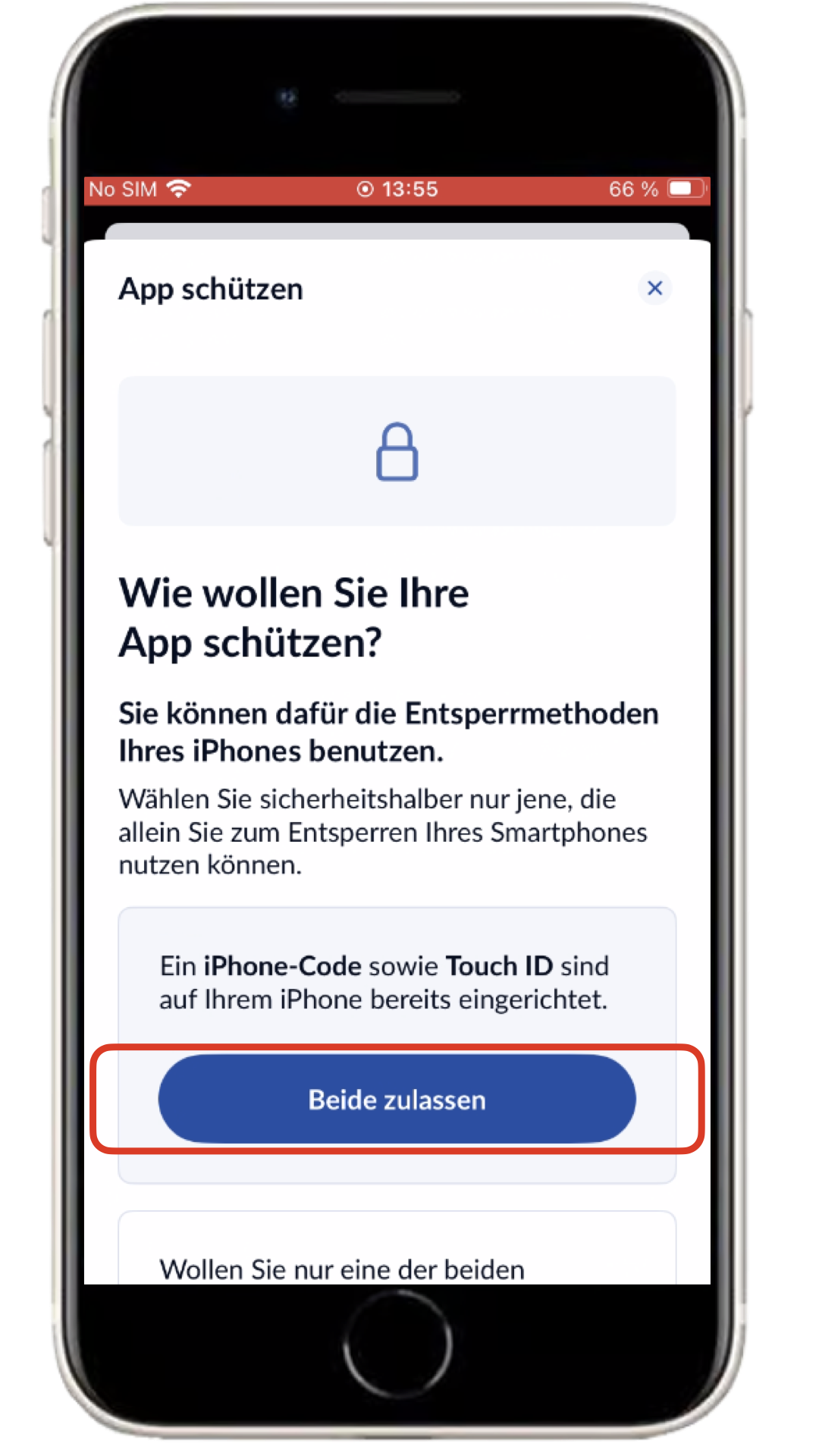
Back to topOpen the ID Austria App, click on 'App einrichten', 'Weiter' and then 'Beide zulassen'.
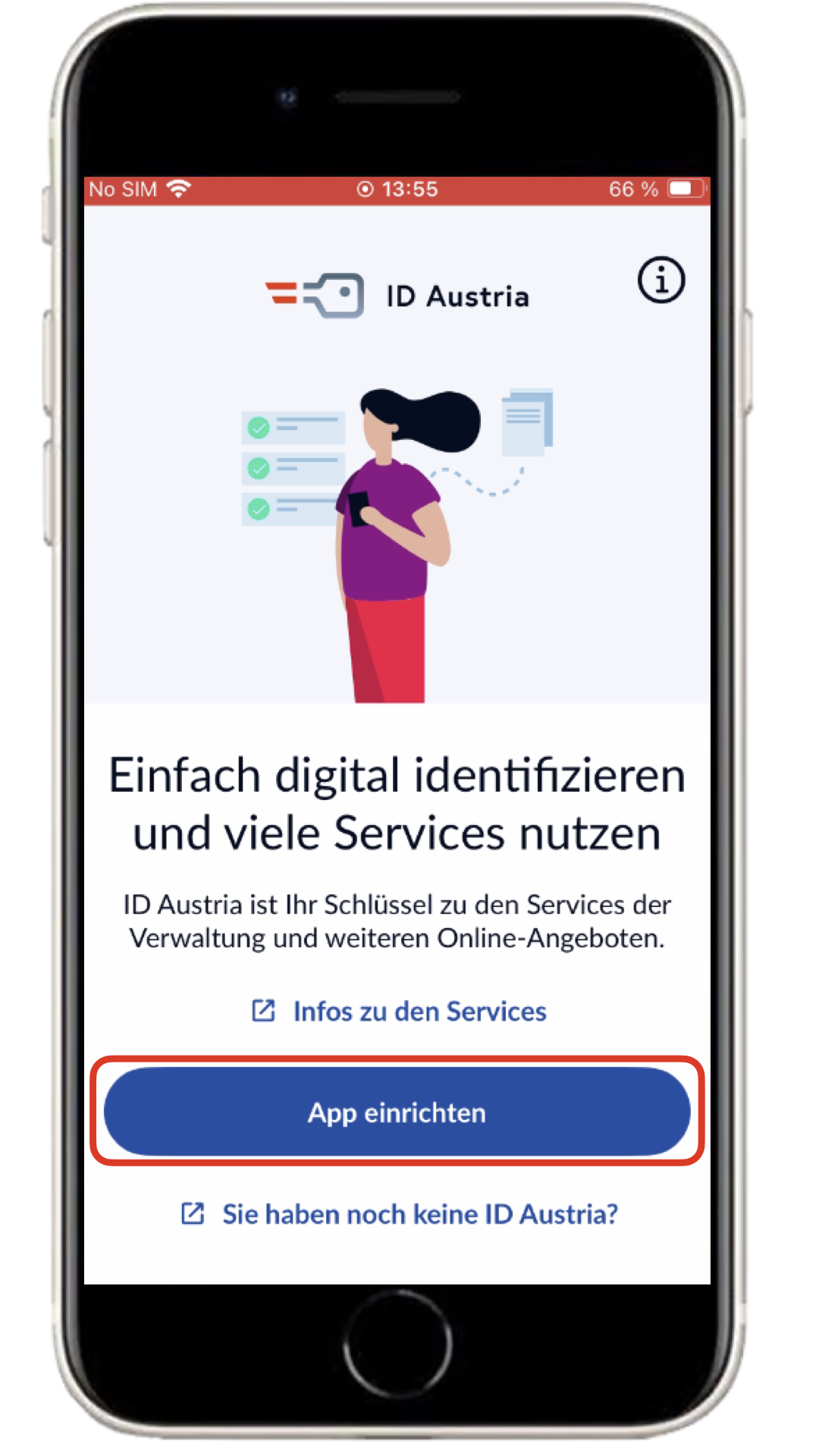
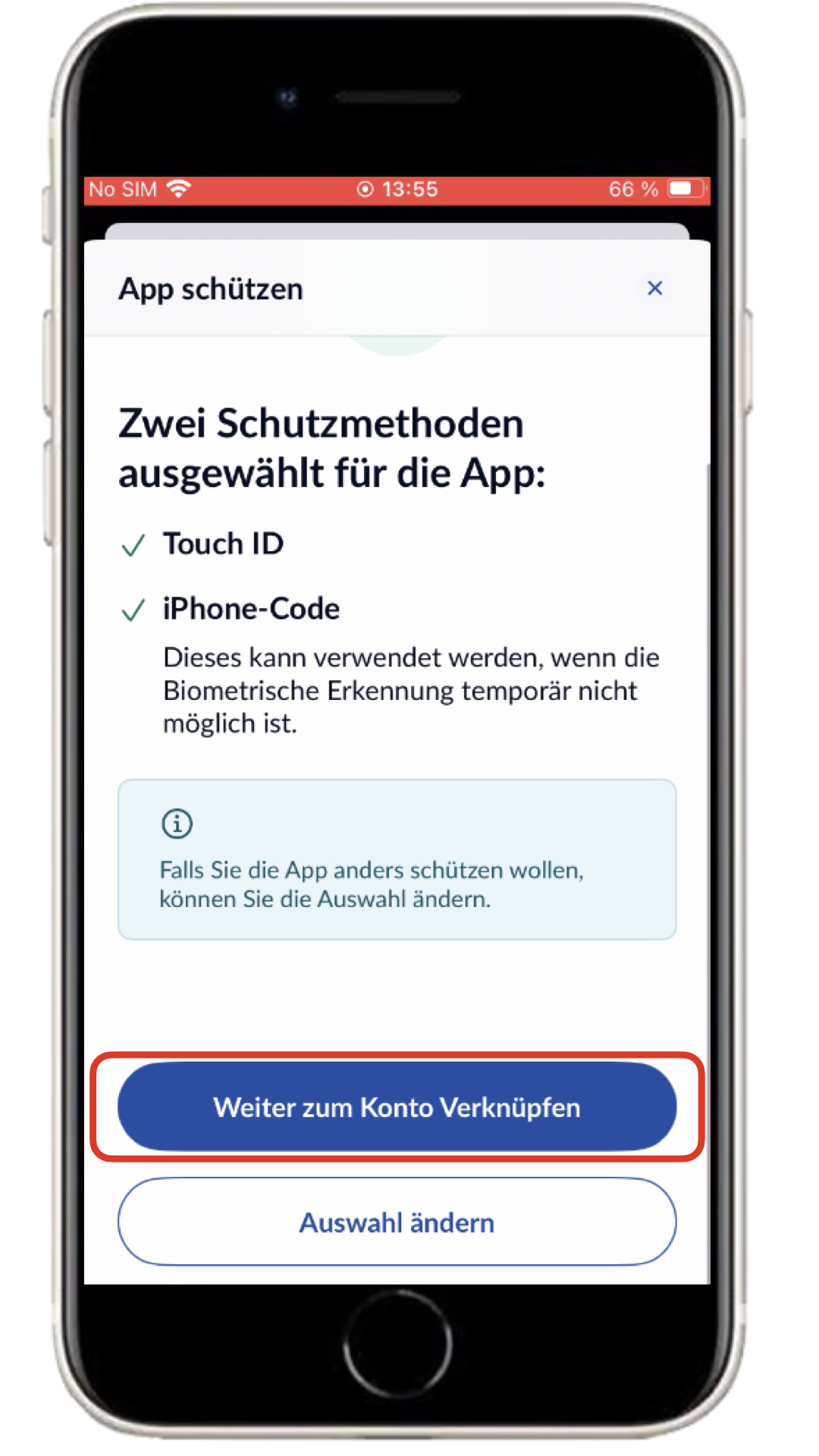
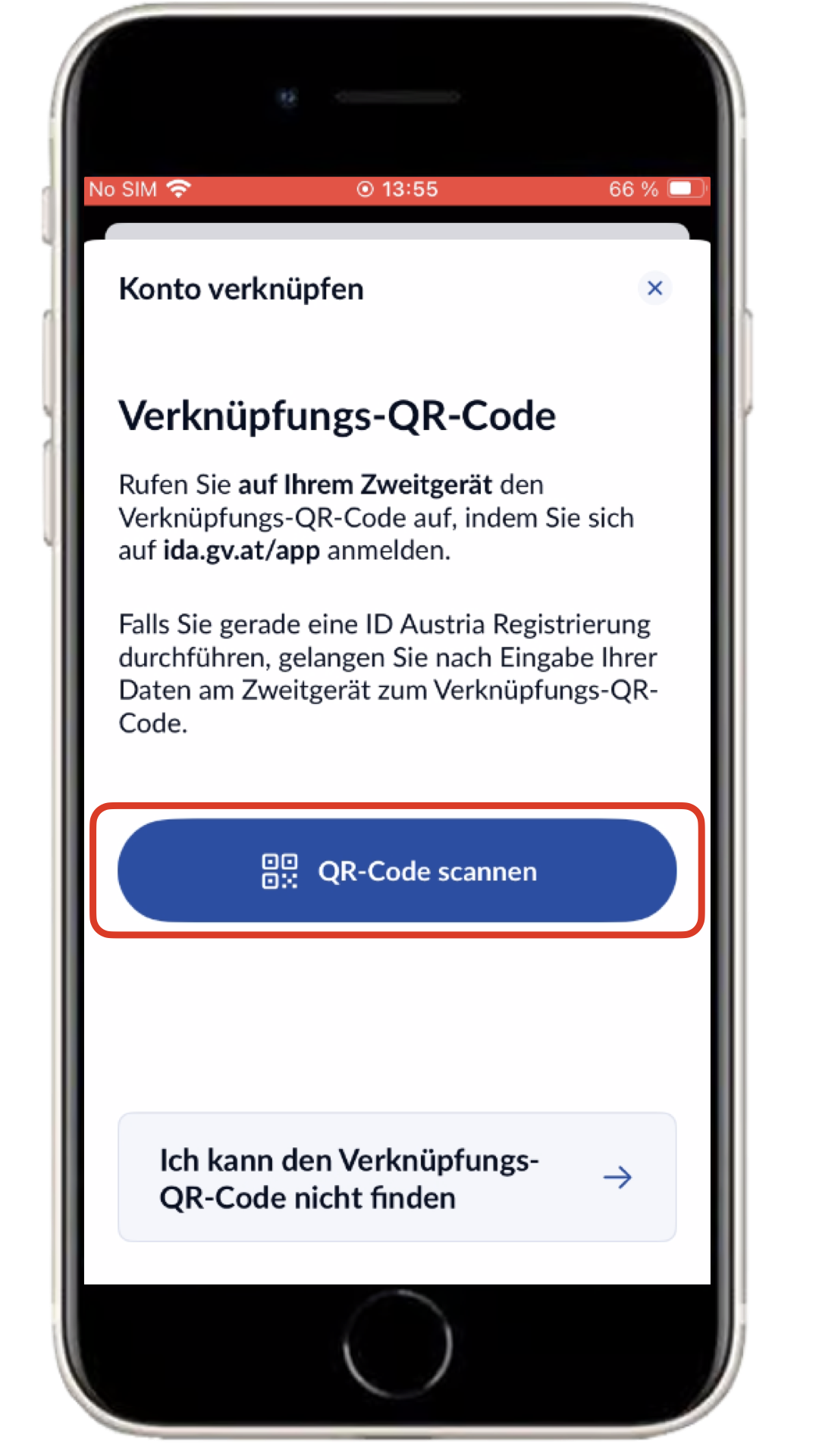
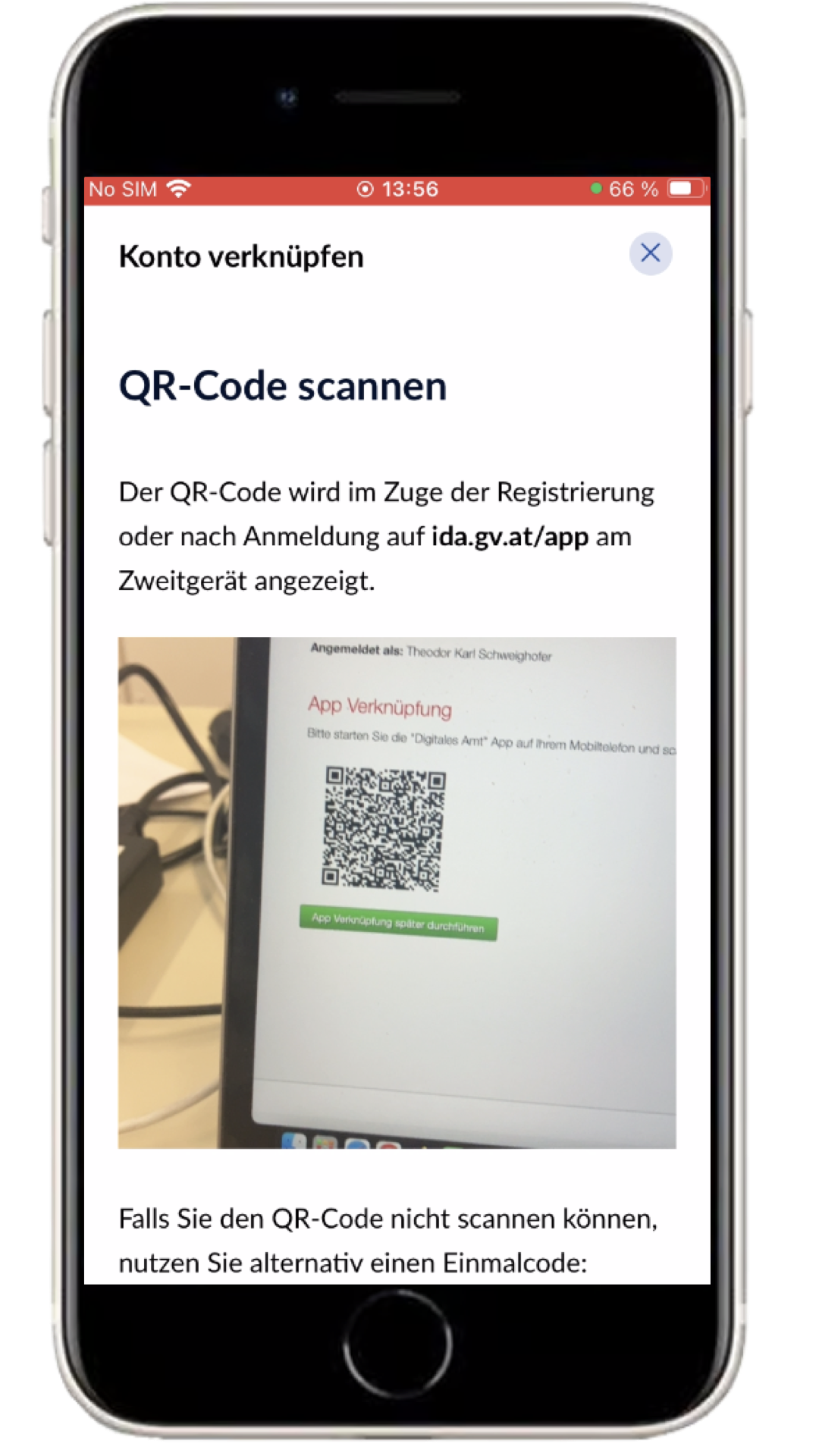
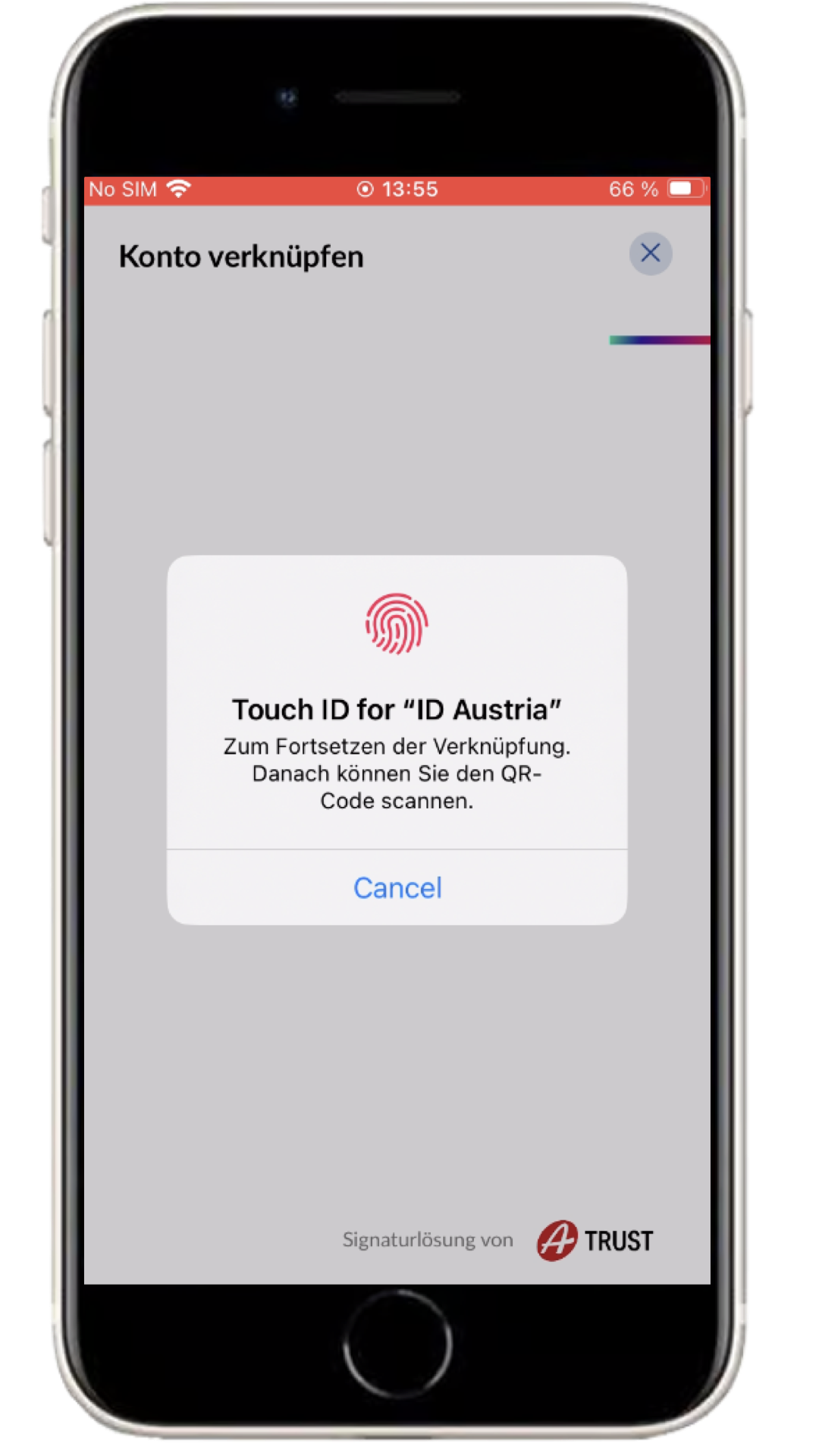
Now click on 'Weiter zum Konto Verknüpfen' and 'ID Austria verknüpfen', and confirm the process with your fingerprint. Afterwards, click on 'QR-Code scannen' and scan the QR code provided to you.
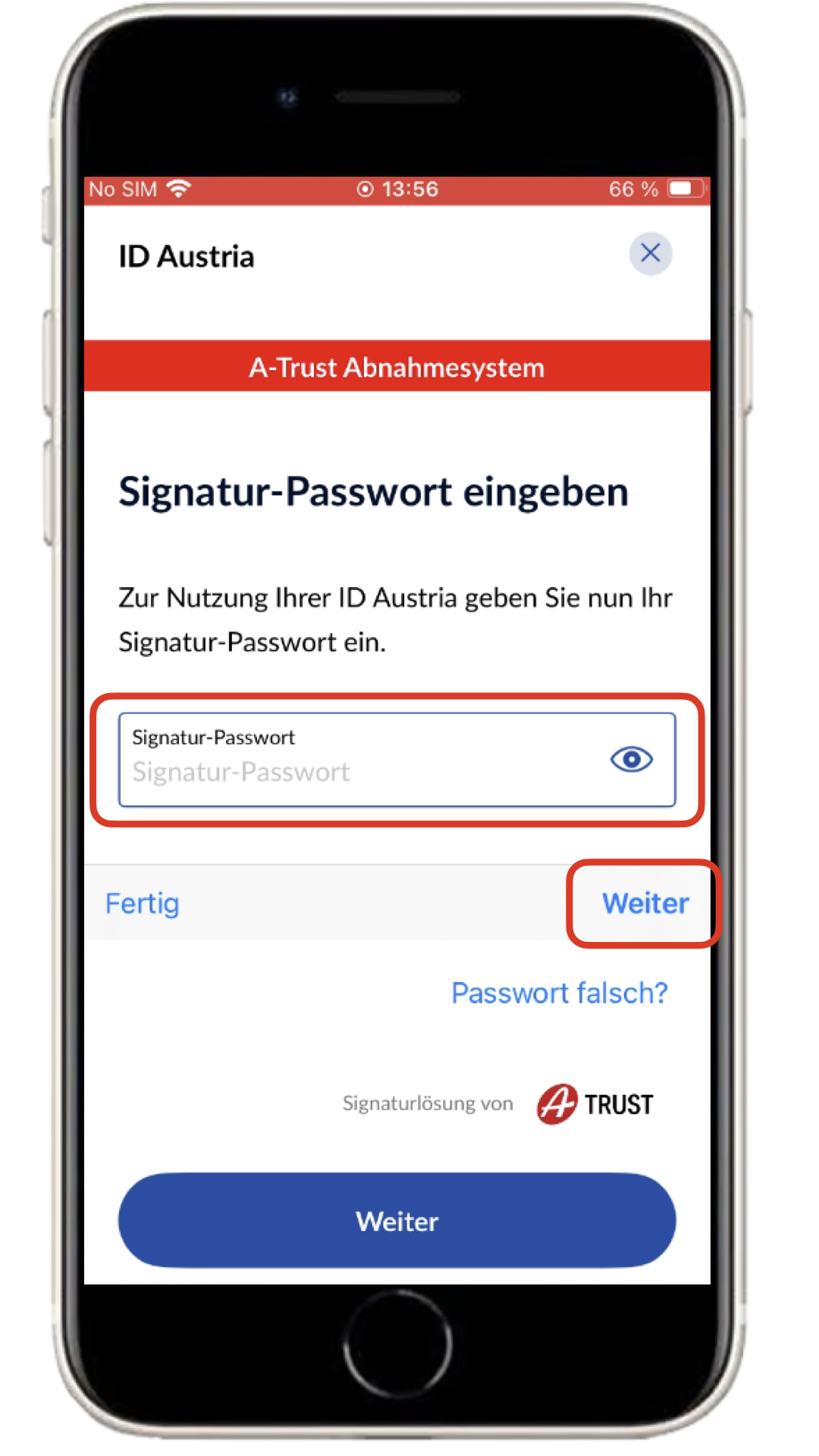
You will now be asked to enter the provided signature password (R9SNgdI7&!Jq) and click 'Unterschreiben'. After that, confirm again with your fingerprint.
Finally, it will be shown that the account from XY was successfully linked. XY is internally configured for test identities and is nothing more than a placeholder.
The ID Austria App has been successfully linked to your ID-Austria Test Identity.
Back to Top